Donation References
With this latest version we’ve given you even more control and customisability over donation forms by extending the reference functionality:
- You can now force your donors to enter a reference
- You can now provide instructions to the donor with regards to what you’d like them to enter in the reference field
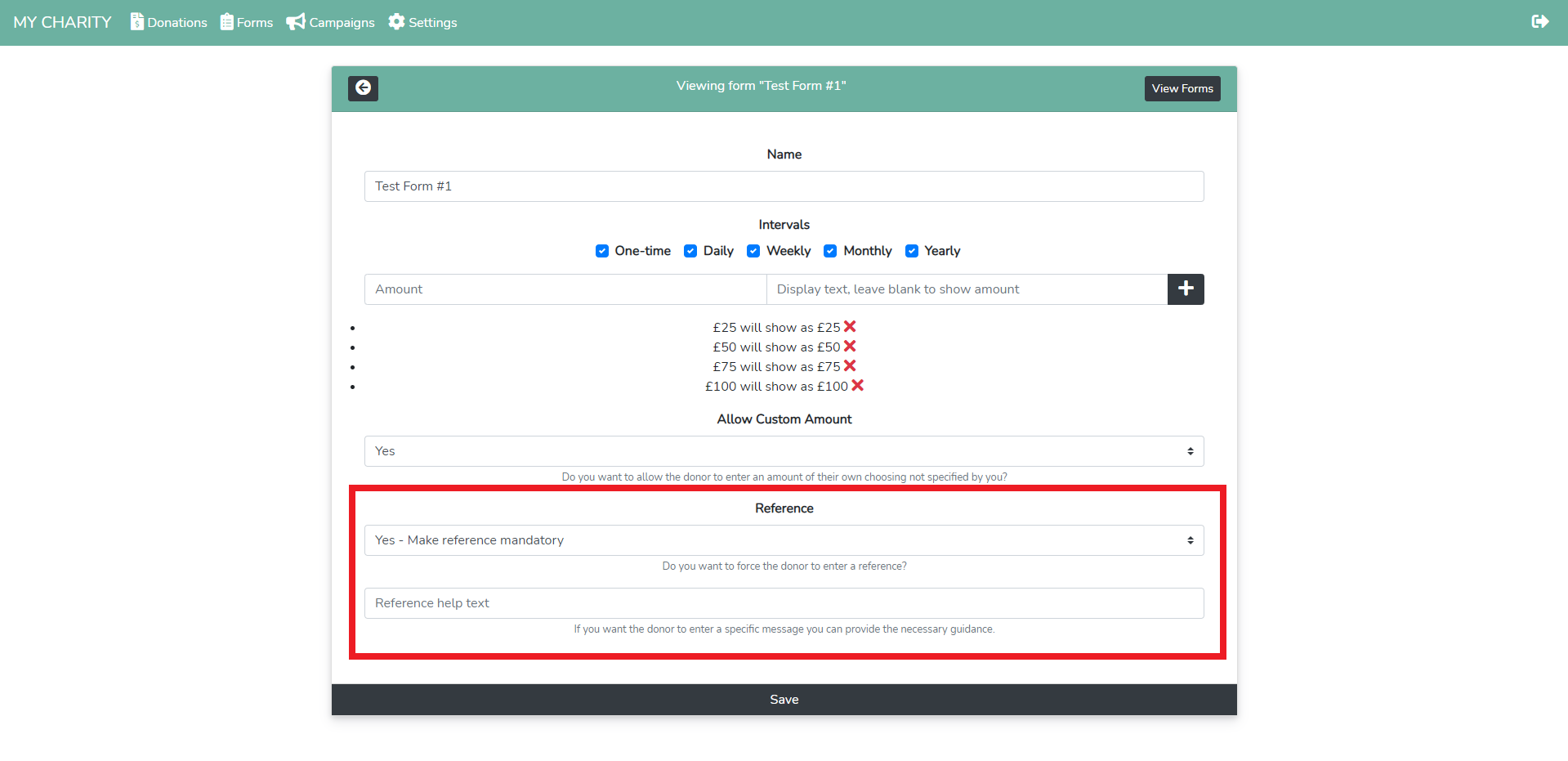
The dropdown will allow you to enforce the donor to enter a reference. By default, entering the reference is not forced.
In the second field, you can enter any instructions for the donor to help them enter a reference. By default, this field is empty.
Responsive Embeddable Forms
We’ve improved the way embeddable forms work. They are now responsive when displayed on a page.
To embed a donation form on an external site, use the following snippet:
<iframe src="<url-to-campaign>#embed" class="campaign-embed"></iframe>
<script src="https://cdn.altruist.co.uk/embed.js"></script>
Note: Don’t forget to replace the <url-to-campaign> section in the iframe src with the actual URL to your campaign.
Appreciate your hard work.